asm101

Table of Contents
overview⌗
I recently self-evaluated my skills in the offensive security space and while it was a little uncomfortable to confront my own deficiencies, it was a good first step in remediating those gaps in my knowledge. While I won’t reveal all the results here, I will say that I noticed there was a lack of low level programming knowledge. Because I’ve been self-taught for the vast majority of my career I never had to slog through any courses involving lower level languages. All the programming I’ve done has really been scripting in Python and PowerShell because that’s what my jobs necessitated and there were many other things to learn in the offensive security space. This gap seemed like a good place to start in my journey to improve my skillset. There’s tons of resources out there for low level programming and I was happy to find that TCM recently launched an Assembly 101 course in their academy. Having Just taken the PJPT from TCM, about which you can read my experience here, I figured why not spend the $30 for a month and see how it goes.
the basics⌗
The basic knowledge I had been at least exposed to if not studied outright. Things like hex values, binary, translating values, etc. was nothing new to me, but I appreciated the refresher. The lessons on how a processor actually works was something I had heard about before as well but never really sat down and really digested. I thought those videos were well done and ended up getting a good basic idea of how a simple CPU uses logic gates and perform operations based on circuits built from the logic gates. Everyone knows that computers only use 1s and 0s, but seeing that explanation at an in-depth level was very interesting.
Learning about the Control Unit, the Arithmetic Logic Unit (ALU), and of course the registers and how they all worked in conjunction with the ROM (not sure if that’s true for modern CPUS, but this was in the example given for the intro section) really helped to create a more holistic view of the processor. Keeping that in mind as I worked my way through the course, it was cool to visualize how everything flowed from the assembly instructions.
running with the 8086 emulator - 16 bit processor⌗
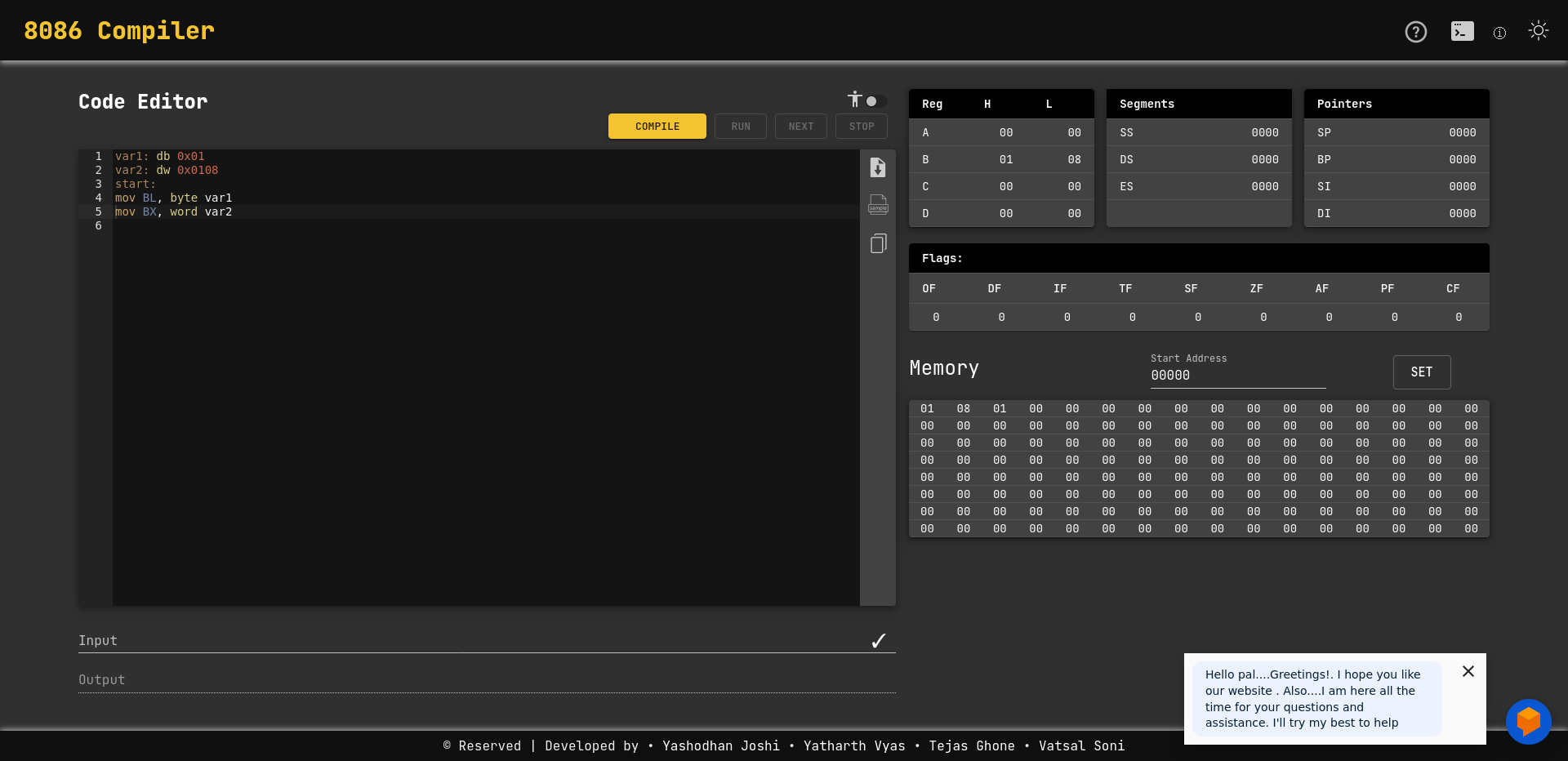
Using the 8086 emulator allowed for a simpler way of getting hands on keyboard compared to x64 assembly. The emulator also gave a more detailed view of registry and memory values which was extremely helpful as a beginner. Overall I think having this section was one of the best parts of the course. I felt that each video was a good length allowing for me to easily get through one or two whenever I had the chance.
note: The course used a self hosted docker container for the emulator. I linked to the web version.
code challenges 16-bit⌗
The code challenges were great. Some of them I was able to get in a short amount of time while others needed multiple hours and breaks. There was one that I was unable to complete on my own, the lods and stods number addition challenge, but I never felt completely lost on any of them.
At one point I wrote a program that met all the requirements of the challenge but looking at the instructor’s code I noticed that he kept everything in the registers while I moved things into RAM. It was an interesting learning moment where I asked myself what’s the benefit of keeping all the data in registers. After thinking for a little while I had a neat realization: keeping everything in registers radically improves the speed of the instructions compared to the overhead of moving it into RAM. The registers have the advantage of being located inside the CPU while grabbing data from RAM requires additional operations. Something you don’t really think about using high-level languages that I’m used to. Below is a simple example of 8086 code.
;Program to store string "Don't Print This. Print This." starting at 0x20000
; and then print out only the "Print This." Portion of the string.
set 0x2000 ;setting start of data directive
string: db "Don't Print This. Print This." ; Store the string
start:
mov AH, 0x13 ; Setting up AH for int 0x10 subfunction 0x13
mov CX, 0x0b ; Setting up CX for number of chars in string - 11chars
mov BX, 0x2000 ; Set memory address for mov into ES
mov ES, BX ; set ES for string print
mov BP, 0x12; set base pointer to string offset - effectively eliminating the first part of the string
int 0x10 ; call to printchars
moving to x64⌗
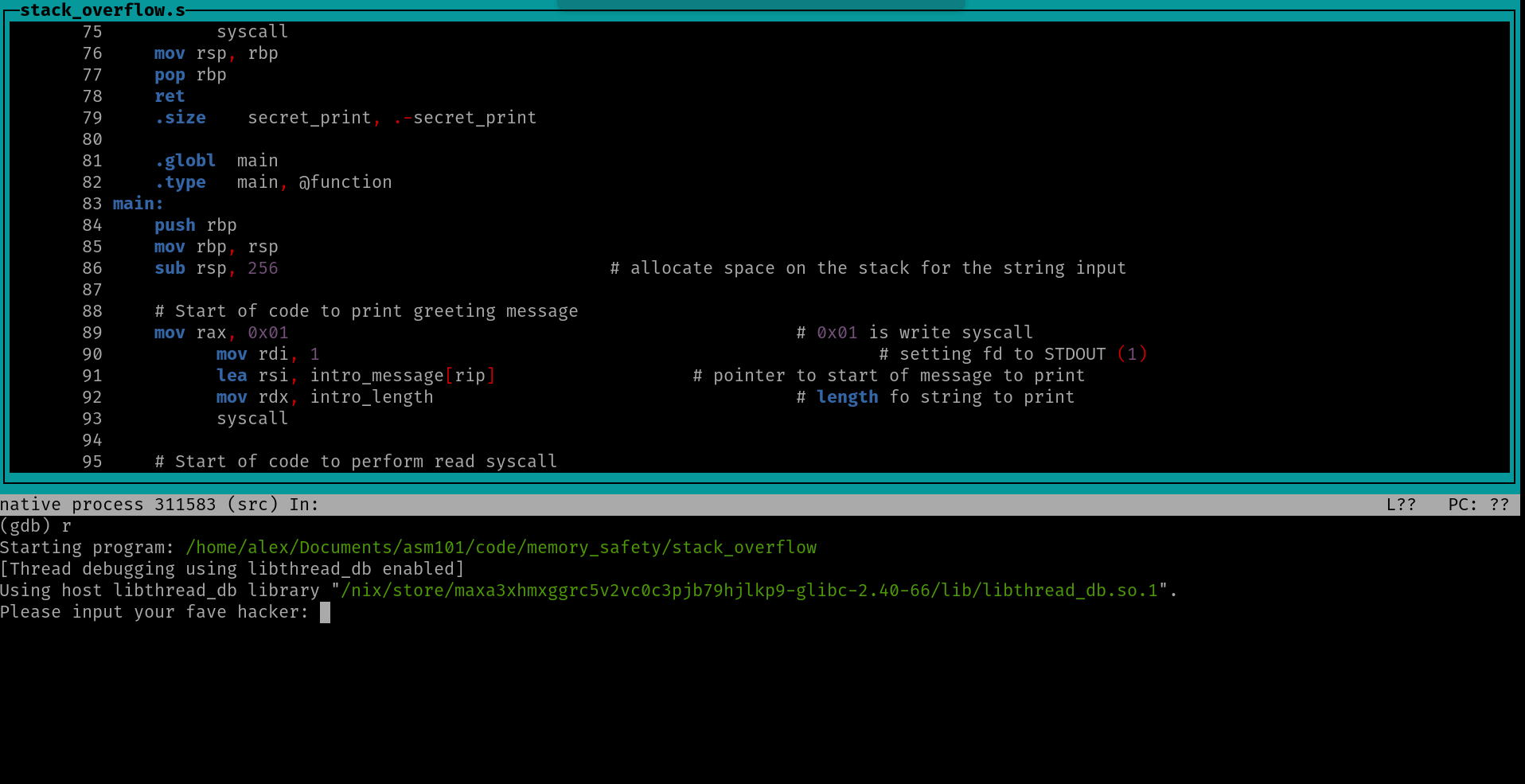
There was definitely a jump in difficulty here, and in the beginning going from the emulator to just raw assembly and all the new syntax, tools, and commands was a little overwhelming but I don’t know how I would change anything to be honest. Maybe discussing 32 bit for a small section would help, but it could also just add unnecessary material. I did re-watch many of the videos for this section, and sought out a couple of additional videos on beginning with x64 assembly. I’m glad I did that because at least one of the videos I watched used nasm, and like Andrew says in his TCM videos, the syntax is slightly different and a little closer to the 8086 emulator syntax. One thing I had going for me was plenty of Linux experience so I wasn’t afraid of the CLI and I really liked the gdb tui interface. That’s something that I’ll be keeping in my back pocket for future debugging or playing around in assembly.
For me, I think part of the increased difficulty has to do with the System V Application Binary Interface (ABI) and the increased responsibility to manage the size and content of the registers. Having arguments in registers instead of pushing to the stack adds complexity. The concept of callee-saved registers took a bit to wrap my head around and made me think more about what values were going to remain after calling a function and which ones I needed to preserve manually. Having all the additional space in registers also makes it a little tougher to view the contents of the lower registers, at least within gdb vs. the emulator. These challenges will likely work themselves out with more practice and just wrestling with the material, but they were and are things that I personally struggle with.
code challenges x64⌗
These were a struggle. It was the first time in the course where I felt pretty lost. As mentioned above I rewatched the section videos and it took a long time to put the pieces together. I finally got the skeletal structure of the first challenge but couldn’t quite put the pieces together. What I found challenging about it was the memory alignment and staying compliant with ABI. Eventually I spent so much time that I had to look at Andrew’s code. Luckily about 90% of it made total sense. It was the fine details of restoring register values after the function call and some of the base pointer alignment stuff that still left me a little lost.
I did get significantly farther with the TCM coding challenge. Admittedly I did use AI to help my understanding of what I was doing and validate my understanding. It didn’t write any of the code, just checked my own work. I find that’s the best use for AI in these types of situations. I got hung up on the bonus longer than I should have and eventually I spent too much time and needed to move forward due to time constraints. As for the last challenge, I’ll leave that to the next section.
final section - memory safety⌗
This was actually the most fun I had in the entire course. It was also the most difficult, but applying everything I learned over the entire course to start performing exploits was really satisfying. At the beginning of my journey into computer science and IT work, I looked at some low level programming and exploitation material but it flew way over my head at the time. The way the material was presented in this course was great and actually seemed to wake up some of the concepts I had seen a long time ago. I walked away from the course with a much better understanding of things like nopsleds, avoiding bad characters in shellcode, and stack smashing attacks in general.
The final challenge was really a challenge related to writing shellcode. My struggles continued and after spending a fair amount of time on it (4 hours over the course of a few days), I decided to grab the shellcode and run from there. Interestingly enough, I couldn’t get it work on my host machine running NixOS (I could get a shell but not run commands, I think it had something to do with the path and nix store?), but I did get it to run in an Ubuntu virtual machine. Overall listening to the explanation of the shellcode was really useful and I see the train of though as far as deciding on the syscall needed and getting that setup.
overall impressions⌗
My goal in taking this course was to start to gain a better understanding of programming at a low-level and more specifically how to take advantage of that as an offensive security professional. I would say that this course far exceeded my expectation in doing that and gave me a solid foundation to build on moving forward. I thought the best section was the memory safety section and the ‘weakest’ one was the x86-64 functions section, but really the material was all good. At this point for me it’s about continuing to practice with assembly and low-level programming. At the end of the course Andrew mentioned if anybody would like to see another course from him. It’d be great to see him teach a course on C. I would take that course in a heartbeat.
what’s next?⌗
Thinking about assembly really has me curious about different CPU architectures and how efficient each one is at handling instructions. It’s my understanding that ARM and RISC-V have a better or more efficient instruction set and that’s part of what leads to the increased battery life on machines with that architecture. I’d like to dig a little into either or both of those assembly languages at some point to see how it differs.
At the very beginning of my IT studies I did come across a book that went into low-level programming, Hacking: The Art of Exploitation by Jon Erickson, and while I did manage to read the book I didn’t grasp most of the concepts. I took the book as a challenge to conquer and not material to really understand. The truth is that I just didn’t have the knowledge that I do now. I would like to try and read this book again with the assembly knowledge that I have now and see how much more it makes sense to me now.
Another option I’ve been seriously looking at is Learn C the Hard Way. I completed Learn Python the Hard Way years ago and found it to be helpful. One of the reasons this course sticks out to me is the focus put on defensive programming and the mention of getting to exploit C code during the course. s